Introduction
Hello! I am Deva recently graduated from Bachelor of Computer Applications. As part of my final semester I did internship at IGIAT-Vishakapatnam.Indo German Institute of Advanced Technologies - IGIAT in vishakapatnam is known for its advanced technical education & skill development programs. I am so grateful to join their internship program, which was totally focused on "Application Development Using Python". Our program was well-organized, with covering a wide range of topics over several weeks. We started from scratch with basics of computer science concepts and moved on to more advanced python programming techniques. The highlight of our internship was creating a chatbot using "chatterbot" framework and "flask" as web framework to give interface to the project. This project allowed us to use the skills we had learned.
Environment Setup
During our internship, we did entire coursework on python about 11 weeks, by covering basic topics to more advanced topics like web scraping, web development, and working with api's many more. For the actual internship of 15 weeks, the remaining 4 weeks were alloted and assigned for us to do the project work based on the skills that we have attained on coursework. So for the project we have choosen to create a ChatBot, for myself I named it as Vortex-BOT, and based on this theme, we researched about the resources that would enhance the functionality of our chatbot. We later on found that Chatterbot and Rasa are the most popular frameworks used by python developers to train the chatbot, and create the chatbots. So based on their merits and demerits we choosen chatterbot for our project. We gained the exposure on its documentation Here!. After gaining the theoretical exposure on Chatterbot library, we were started to create a virtual environment for our project. This virtual envirtual environment is named as Internship-Project. We installed virtualenv framework to create a virtual-environment. This further allowed us to work on isolated environment with no disturbances on memory level. After creating the virtual environment the directory structure would look like as follows
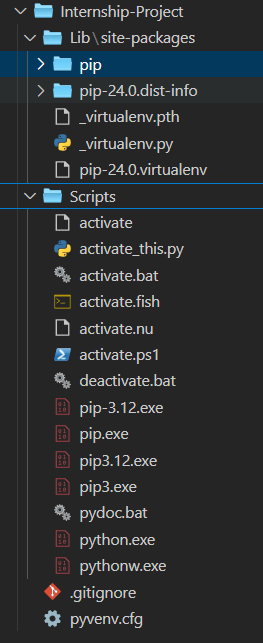
After, this to install all the modules in the virutal environment we tried to activate the virtual environment on terminal or command-prompt using the following command:
For WindowsInternship-Project\Scripts\activate
For Mac & Linuxsource Internship-Project/bin/activate
After activating the virutal environments, we started to install all the necesssary modules to work on our project ChatBot.
.png)
You can find the detailed repository of our project at Github within that you can find the requirements.txt file that holds all the modules that have been installed and used to create our chatbot.
Modules Descriptions
The following are the key modules that are used for our project ChatBot. We used the following modules to accomplish objectives from basic functionality of chatbot to giving it user interface so that user can interact with chatbot-Vortex.The following gives a breif description of the modules that are used.
chatterBot : ChatterBot is a machine learning, conversational dialog engine for creating chatbots. It is language-independent and can be trained to respond in various languages by using different sets of data.
How ChatterBot uses SQLite : ChatterBot uses SQLite as a storage adapter to store conversation data. When you initialize a ChatterBot instance, you can specify the storage adapter as SQLite, which is useful for smaller applications or for development purposes due to its simplicity and serverless architecture. ChatterBot saves and retrieves data using SQL queries, enabling the bot to learn from interactions and improve its responses over time.
Key Features : Language-independent, Extensible with various storage adapters, Can be trained using different datasets, Implements logic adapters to determine responses.
google-generativeai : Google Generative AI refers to Google's advancements in generative models, particularly in natural language processing and image generation. These AI models can create text, images, and even music by learning patterns from large datasets.
Key Features : Text generation and completion, Image generation, Advanced natural language understanding, Applications in creative content creation.
PyYAML: PyYAML is a Python library for YAML (YAML Ain't Markup Language), a human-readable data serialization format. PyYAML provides easy and intuitive methods to parse and produce YAML.
Key Features : Load and dump YAML data, Support for various data types, Custom serialization and deserialization, Integration with Python data structures.
NLTK (Natural Language Toolkit) : NLTK is a leading platform for building Python programs to work with human language data. It provides easy-to-use interfaces to over 50 corpora and lexical resources along with a suite of text processing libraries for classification, tokenization, stemming, tagging, parsing, and semantic reasoning.
Key Features : Text processing libraries, Corpora and lexical resources, Classification and machine learning tools, Parsing and semantic reasoning capabilities.
SQLAlchemy : SQLAlchemy is a SQL toolkit and Object-Relational Mapping (ORM) library for Python. It provides a full suite of well-known enterprise-level persistence patterns, designed for efficient and high-performing database access.
Key Features : Database-independent ORM, Core SQL construction and execution, Connection pooling and transaction management, Comprehensive documentation and tutorials.
Usage in Applications : SQLAlchemy is used to map Python classes to database tables, making it easier to handle database operations using Python code. It supports a wide range of database backends, including SQLite, PostgreSQL, MySQL, Oracle, and Microsoft SQL Server.
Training the Chatbot
Training the chatbot was a critical part of the project. I utilized several predefined conversation sets to train the chatbot using ChatterBot's ListTrainer. This step ensured that the chatbot could handle basic conversational queries and respond appropriately. Additionally, I also trained my chatbot with my own list of queries and their corresponding responses, I have given training on basic-conversation-queries, greetings, and lastly introductions. These three training data have given a basic conversational mechanisms to our chatbot, and there giving the all essential trainings using the built-in class of chatterbot i.e ListTrainer. We tried to test the ChatBot in our terminal like, you can see the following screenshot which depicts our testing on chatbot responses based on our trainings.
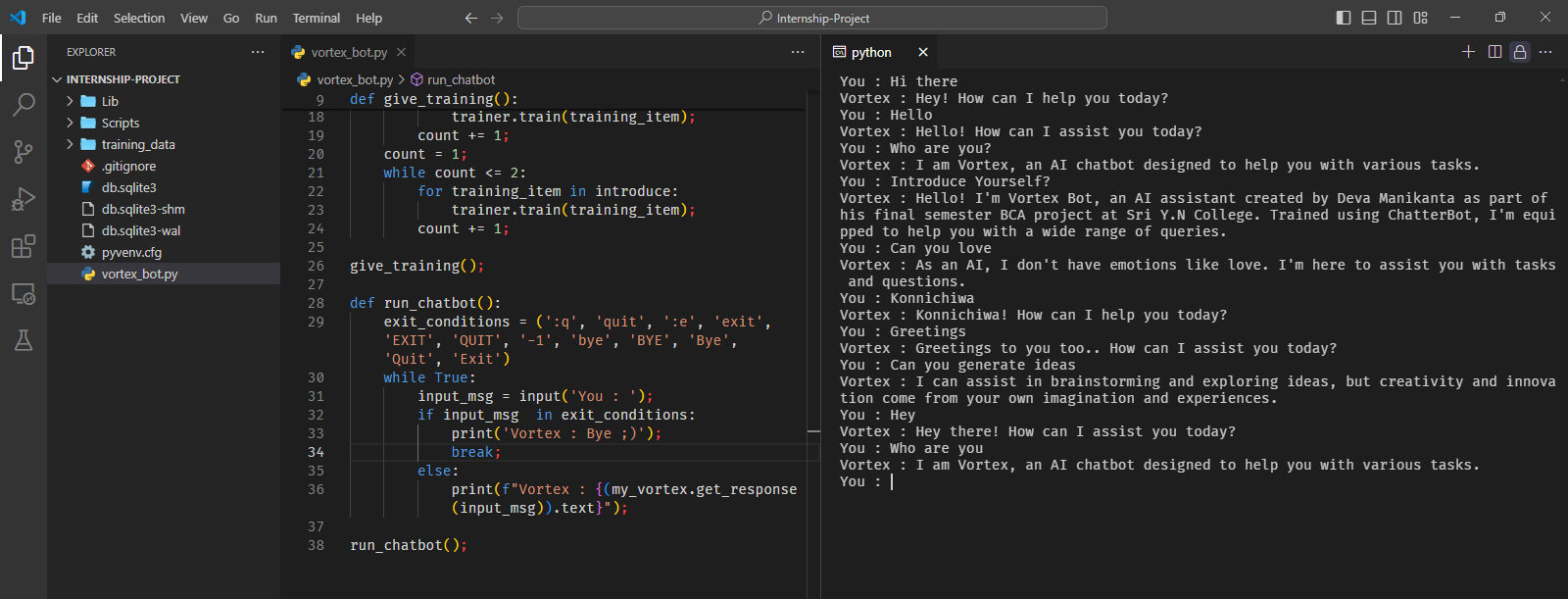
Based on the training and testing the chatbot also given some anonymous reponses, like for example: User: How are you? - Chatbot: Hi, and User: Do you like to eat? - Chatbot: Hello, how can I assist you?, to overcome this type of irrelevent responses, I tried to look the documentation again, and found that every response that the Chatterbot gives based on training is a object that has few attributes like text, confidence, tags, storage, save, id, etc.. and within these attributes confidence is the crucial one as, it represents a measure of how certain the chatbot is about its response to a given input. This attribute is crucial in determining the accuracy and relevance of the responses generated by the chatbot. The confidence attribute is a floating-point value between 0 and 1, where 0 indicates no confidence and 1 indicates full confidence in the response provided by the chatbot. The confidence score is calculated based on the similarity between the user input and the responses available in the chatbot's training data. Various algorithms, such as cosine similarity, can be used to determine this score. So based on this confidence score I implemented a mechanism so that would make the BOT more intelligent, like whenever the chatbot's response confidence score is less that 0.5 then it will say "I am sorry I was not able to answer that type of query yet!, thank you for your patience!" like the screenshot as follows:
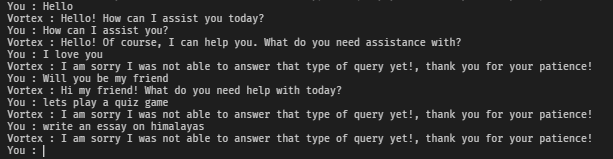
So based on the above image, we can clearly say that whenever the response's confidence is lower than 0.5 it is giving the same reply that it is not able to answer that type of query yet. So on this manner I integrated my ChatBot with some intelligence, by overcoming anonymous replies.
Integrating Gemini AI
Recently, we have seen that we have overcomed the chatterbot's anonymous replies by using Confidence-Score, and moving further on the project, I thought I could use API services of AI from big tech companies like Google, OpenAI, Microsoft. On this scenario, Microsoft, OpenAI provide their GPT/LLM models apis for a paid plans i.e. they are premium involves real cash purchases, as of I am a student I wanted to get a free API. Google is the one which provides free API for only personal usage of its gemini-pro LLM model. So for that reason, I have choosen googles gemini api services and integrated gemini to my Vortex-BOT, which in turn made my chatbot to give more accurate and intelligent responses. For that I have installed a module called google-generativeai, this is the module that configure our API key, we can get free API of GEMINI-PRO model at Here!, I got my API key and integrated it in my Vortex-BOT program, the main thing is whenever the reply of my-chatbot's confidence is less than 0.5 the inputted message is handed over to Gemini AI model and later on gemini gives reponse like the screenshot as follows.
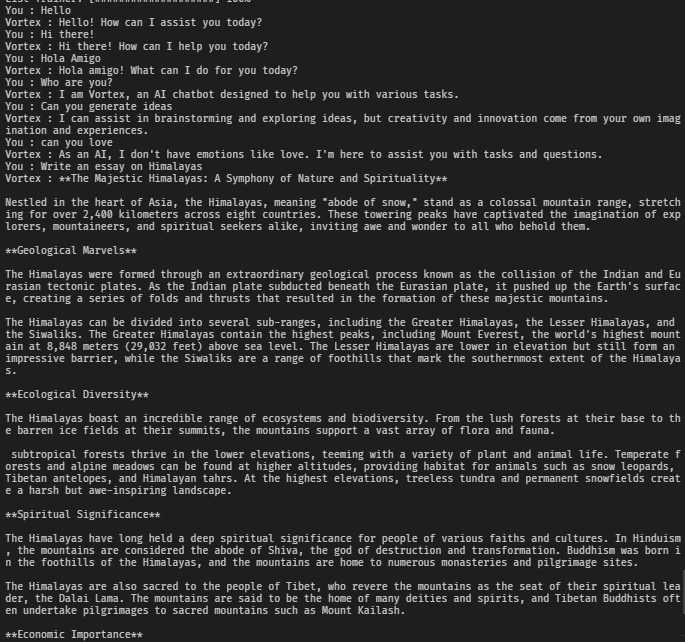
So based on the above image, we can clearly see that Vortex, was never trained on how to write an essay on himalayas, but it passed the response responsibility to gemini and then the Google's Gemini AI repsonded with an essay. So this clearly states that we have integrated Google's Gemini on our application using their API services, and further we made a successful chatbot and then we are one step backward to implement the UI.
Desiging User Interface
After attaining the functionality of the chatbot based on series of training and testing. I ended up on next step of our project i.e developing the user interface. I have written code in python, and I thought on how could I give UI to my python program, then I heard about flask as a web-framwork which is also termed as micro-lightweight web framework that is used to design the dynamic web pages which involves python code to be implemented in them. Flask is well-known for its simplicity for rendering HTML pages, it uses Jinja2 rendering engine to render the HTML pages, with certain syntax embeddings on HTML. So we designed UI for our project you can find the source-code here!. If you find the source code kind of messy you can also check in our repository, our entire project's source code would be here!. We have a given a well working UI to our chatbot you can see the following video as a proof.
The screenshots of the outputs are as follows.
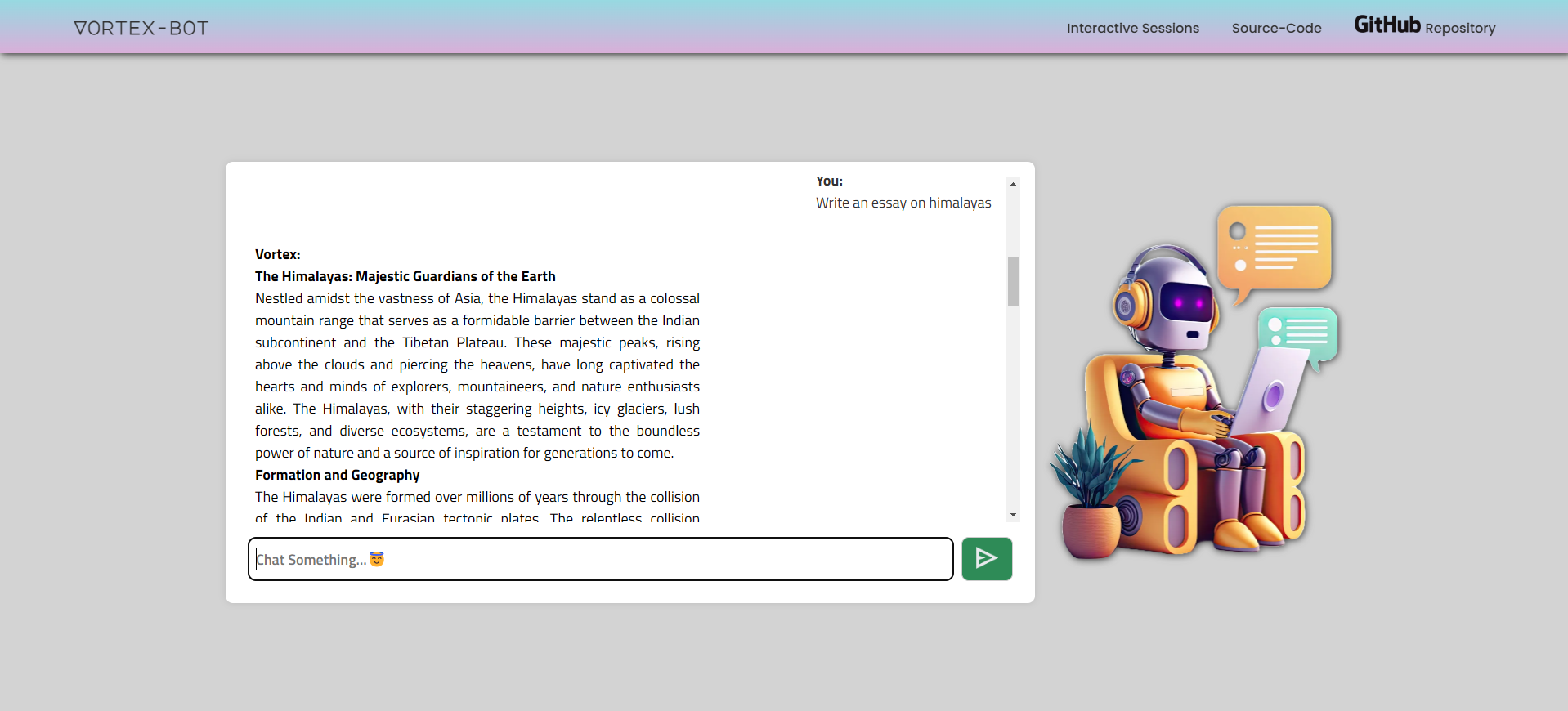
The above screenshot depicts the output where the chatbot is in action. Whereas, the chatbot is giving its response for the user-query:"Write an essay on himalayas".
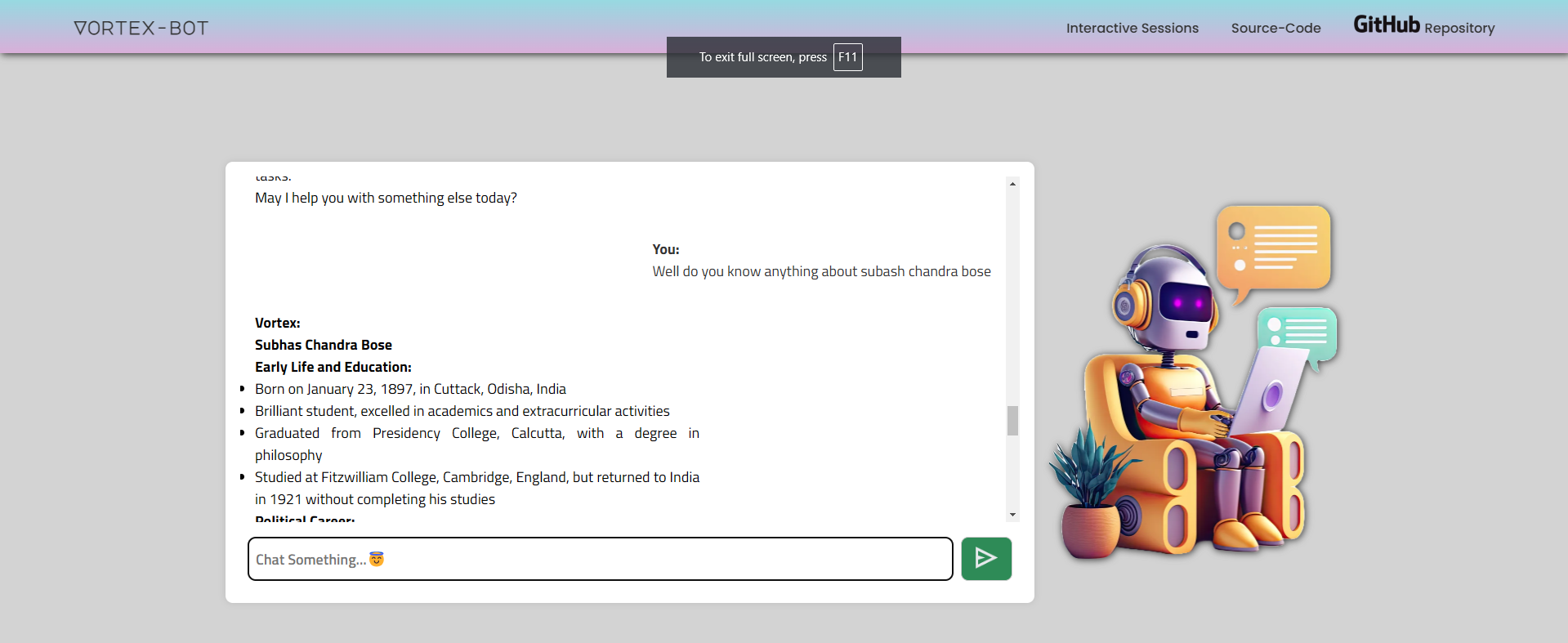
The above screenshot depicts the another output that the chatbot is giving its response for the user-query:"Well do you know anything about Subash Chandra Bose".
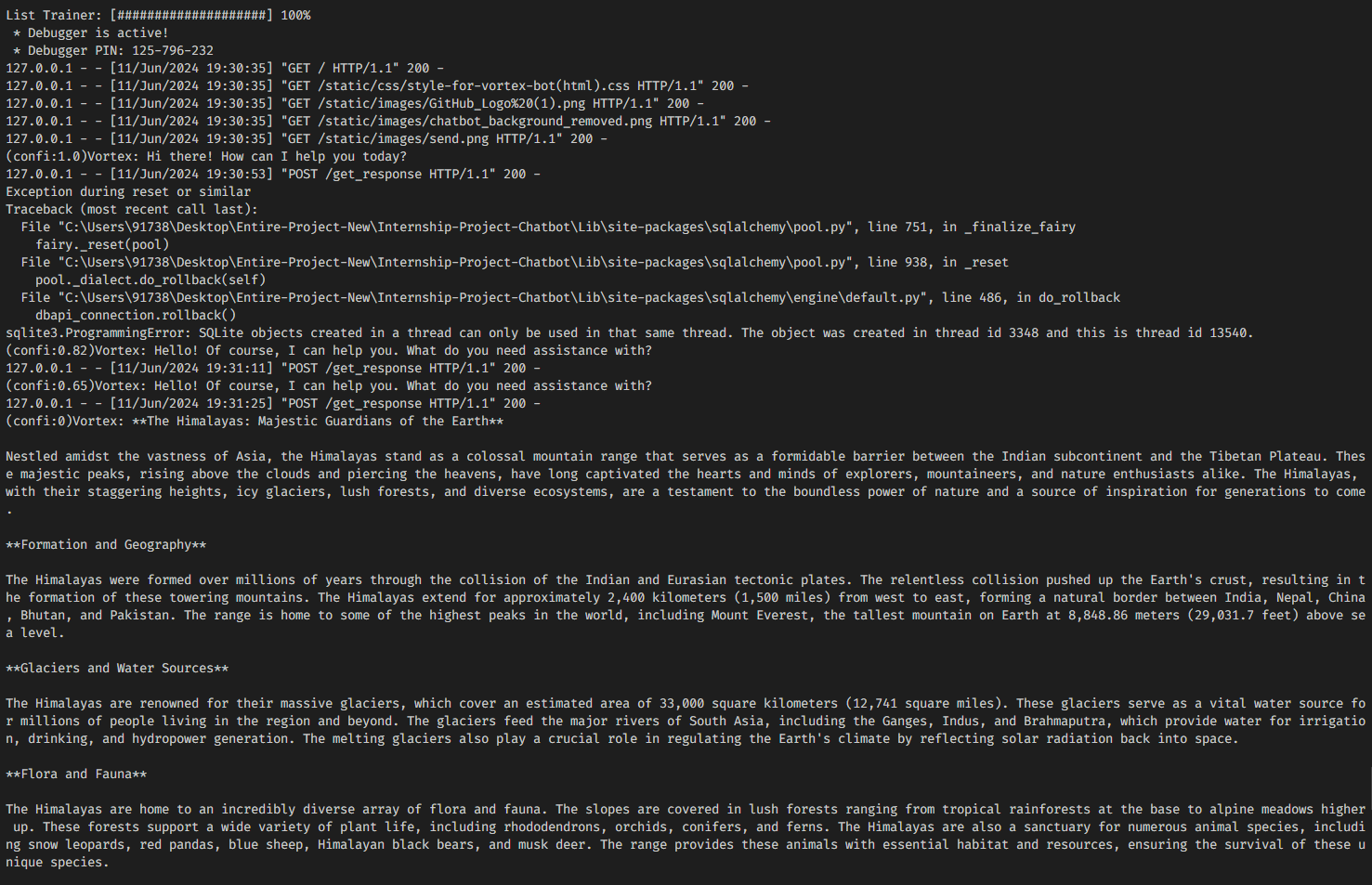
The above screenshot depicts the log of the chabot's responses amid the flask framework, It clearly prints the responses of chatbot in the terminal in Markdown format before getting it to the Web page and then based on the JavaScript code it takes the data from python and parses the markdown data and embeds the data as the actual chatbot response. [You can clearly observe the output in the above given video]
Project Deployment
After completing the development and training phases, I deployed the project on GitHub. The deployment involved creating two repositories:
1. Internship-All-Resources : This repository holds all the work that I and my fellow friends did in our internship. This repository also holds all the coursework and accomplished tasks documentations, on day to day. This repository github also holds various screenshots of our internship-interactive-sessions, and it also holds various reports that are vital to move on our internship.
2. Internship-Project-Repository : This repository holds all the work that I and my fellow friends did in our internship. This repository also holds all the source-code and libraries that are used to accomplish the project to its full functionality. Initially, the theme of our project is ChatBot, we created a chatbot using API serivices of Google's Gemini and Chatterbot framework of python, and we also given UI (User Interface) using another framework called 'Flask'. Everything including source-code is documented and stored in this repository.
You can access the above two repositories with following links as their name suggests.
Internship All Resources
Internship Project Repository